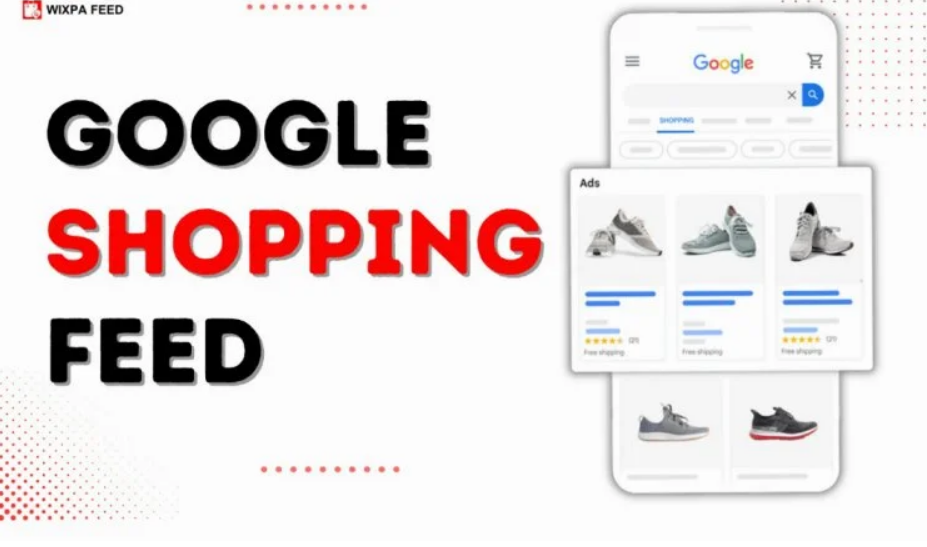
Master Google Shopping Feed Management: A Step-by-Step Guide for Success
Introduction:
In the competitive world of e-commerce, mastering Google Shopping feed management is essential for driving visibility, attracting customers, and boosting sales. A well-optimized feed for Google Shopping ensures that your products are accurately represented and easily discoverable by potential buyers. This step-by-step guide will walk you through the process of creating, optimizing, and maintaining a high-performing Google Shopping feed to achieve e-commerce success.
Google Shopping feeds play a pivotal role in the success of e-commerce businesses. They serve as the foundation for your Google Shopping campaigns, providing the necessary product data to display your items in search results and shopping ads. An optimized feed for Google Shopping not only enhances product visibility but also improves click-through rates (CTR) and conversions. This guide will take you through the entire process of setting up, optimizing, and managing your Google Shopping feed to ensure long-term success.
What is a Google Shopping Feed?
A Google Shopping feed is a structured file that contains detailed information about your products, such as titles, descriptions, prices, images, and availability. This data is used by Google to display your products in relevant search results and shopping ads. The key components of a Google product feed include product titles, descriptions, high-quality images, pricing, and availability. By providing accurate and complete data, you can ensure that your products are correctly categorized and displayed to the right audience. A properly optimized Google Shopping feed offers numerous benefits, including improved visibility, higher CTR, and increased sales.
Setting Up Your Google Shopping Feed
The first step in mastering Google Shopping feed management is setting up your feed. Begin by creating and configuring your Google Merchant Center account. This is where you will upload and manage your product data. Once your account is set up, you can upload your product data to Google Shopping via the feed. It’s important to understand Google’s feed requirements and policies to ensure that your products are approved and displayed correctly. This includes providing accurate product information, high-quality images, and relevant attributes such as GTINs, MPNs, and brand names.
Best Practices for Google Shopping Feed Optimization
Optimizing your Google Shopping feed is crucial for achieving better visibility and performance. Start by choosing the right file format for your feed, such as XML or CSV. Structuring your product feed data correctly is essential for optimal visibility in Google Shopping results. Ensure that your product titles and descriptions are descriptive and include relevant keywords to match user search intent. Adding relevant product categories and attributes is also important for better targeting and improved performance. High-quality images that showcase your products in the best possible light can significantly impact your CTR and conversion rates.
Common Google Shopping Feed Errors & Troubleshooting
Even with careful planning, you may encounter common feed errors such as disapproved products, missing attributes, or policy violations. It’s important to regularly review your feed for errors and resolve them promptly. This may involve updating product information, adding missing attributes, or ensuring compliance with Google’s policies. Re-uploading your product feed after making corrections is essential to ensure that your products are approved and displayed correctly. Staying up to date with Google’s policies and feed requirements is key to avoiding future errors and maintaining a high-performing feed.
How to Maintain and Update Your Google Shopping Feed
Maintaining and updating your Google Shopping feed is an ongoing process. Regularly updating your feed to reflect real-time changes in pricing, stock availability, and promotions is crucial for accurate product listings. Automating feed updates through scheduled fetches or API integration can save time and ensure that your feed is always up to date. Best practices for feed maintenance include regularly reviewing your feed for errors, updating product information, and ensuring compliance with Google’s policies. By maintaining an accurate and up-to-date feed, you can avoid disruptions in product listings and ensure consistent performance.
Tracking Performance and Analyzing Google Shopping Feed Success
Tracking the performance of your Google Shopping feed is essential for optimizing its success. Use Google Merchant Center and Google Ads to monitor key metrics such as clicks, impressions, cost-per-click (CPC), and conversion rates. Analyzing these metrics will provide valuable insights into the performance of your feed and help you identify areas for improvement. Optimizing your feed based on data insights can lead to better ROI and improved campaign performance. Regularly reviewing and adjusting your feed based on performance data is key to achieving long-term success.
Advanced Tips for Maximizing Your Google Shopping Feed Impact
For those looking to take their Google Shopping feed to the next level, there are several advanced tips to consider. Using custom labels allows you to segment your products based on various criteria such as bestsellers, profit margins, or seasonal trends. This enables you to create targeted campaigns and bid more effectively on high-performing products. Negative keywords can also be used to filter out irrelevant traffic and improve the relevance of your ads. Integration with third-party tools for feed optimization and performance monitoring can streamline the management process and provide additional insights. Leveraging dynamic remarketing through Google Shopping feeds allows you to target potential buyers who have previously visited your website but did not make a purchase, increasing the likelihood of conversions.
Conclusion
Mastering Google Shopping feed management is essential for achieving e-commerce success. By following the steps outlined in this guide, you can create, optimize, and maintain a high-performing Google Shopping feed that drives visibility, attracts customers, and boosts sales. Regularly updating and optimizing your feed based on performance data is key to achieving long-term success. Start optimizing your feed today and track its performance to ensure continuous improvement. For more tips and resources on mastering Google Shopping feed management, visit Wixpa. An optimized Google Shopping feed is a powerful tool for e-commerce growth, and with the right strategies, you can maximize its impact and achieve your business goals.







Post Comment